Events
Event definition and creation
Explanation
Events can give the summary of the conversation between bot and user to the assigned agent so agent doesn't have to read the whole conversation again.
Events have to be defined in Dashboard .
You can select tags and types of your events, and always turn on two features if you want events to be tracked by dashboard.
Note - Whenever an event is created always check DB , if it is there then your is successfully created.
How To Use Events
There Are 3 Ways To Use Events In Bot -
By Intents
By Workflows
By code
Using Events By Intents
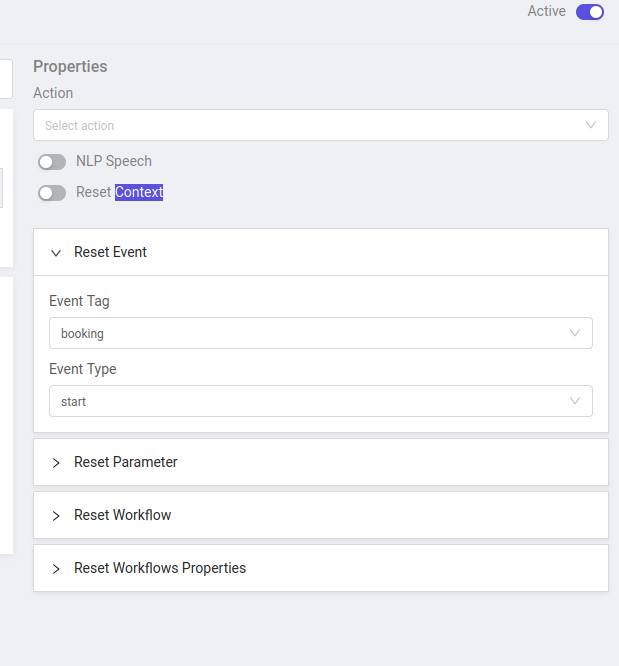
When you define intent make sure you select the right event tag and type in the Reset Event section to trigger that event.
Like in this case, tag is booking and type is start.
Using Events By Workflow Nodes
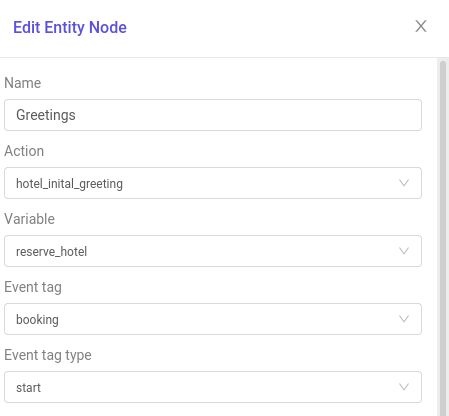
When you define nodes in the workflow make sure to mention the event tag and type in the Event tag and Event tag type section to trigger that event.
Like in this case, tag is booking and type is start.
Using Events By CODE
To use events by code , there is a function which you have to use which is update_tags_in_db in your code. And to run this function you have to include it in your file like this .
const update_tags_in_db = require('../../helpers/database-functions').update_tags_in_db;
Sample code of
update_tags_in_dbin which tagnumber collectionhave type assuccess.update_tags_in_db(session_doc, {
type: 'success', tag: 'number collection', level: 'custom', description: `number collected`,});
Event Analysis From Dashboard
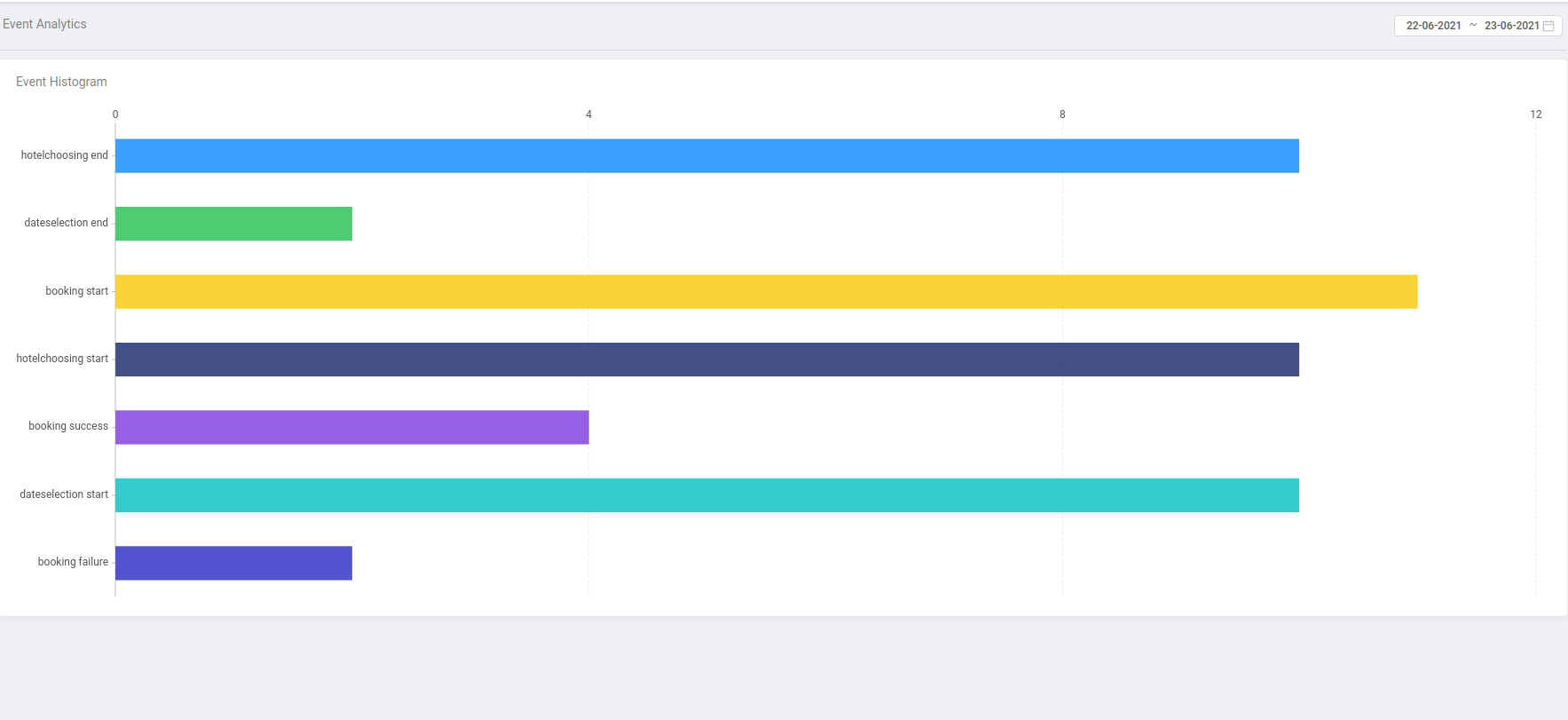
You can always analyse the events from the dashboard
Every Event which is triggered will reflect its values here.