"Service Unavailable" error
Overview
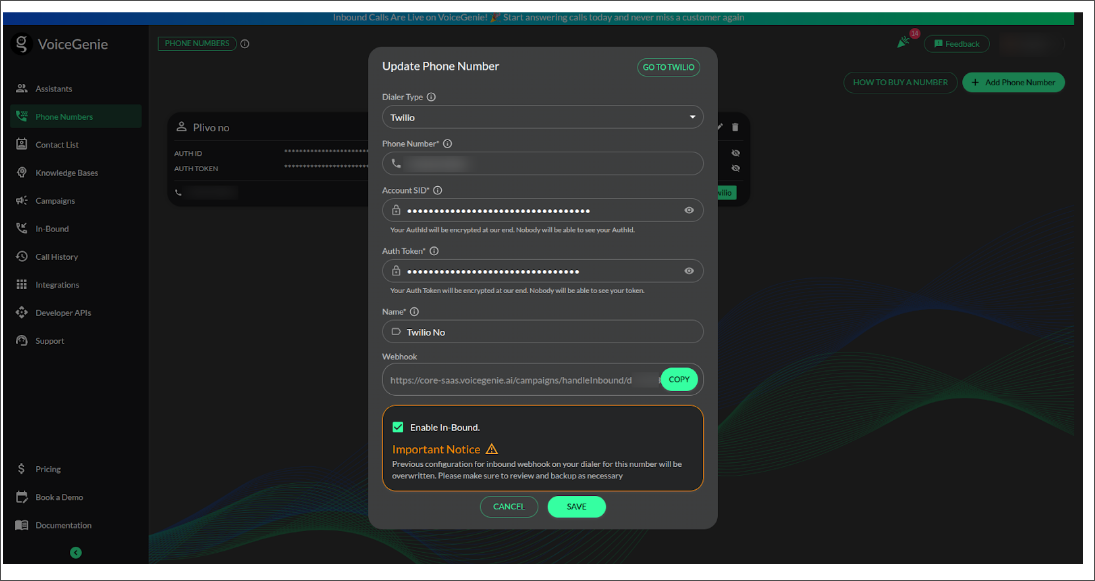
When adding a phone number for outbound or inbound calls, you will see a checkbox at the bottom. If you want the number to be used for inbound calls, you must select this checkbox; otherwise, the number will work only for outbound calls.
If you add a number with the inbound checkbox selected, a campaign is automatically created under Inbound. However, many users face issues where calls are not being received, do not go through, or the assistant responds with: "Sorry, this service is currently unavailable. Please try again later. Goodbye." The main reason for this issue is that the automatically created campaign does not have an assigned assistant, which prevents calls from being processed. If no assistant is selected, callers may hear the message: "Sorry, this service is currently unavailable. Please try again later. Goodbye."
Issue Explanation
When a campaign is created automatically, it lacks an assigned Voice Assistant. As a result, the system does not know how to handle incoming calls, leading to failed call attempts. To resolve this, users need to manually configure the campaign settings.
Steps to Configure Your Orphan Campaign
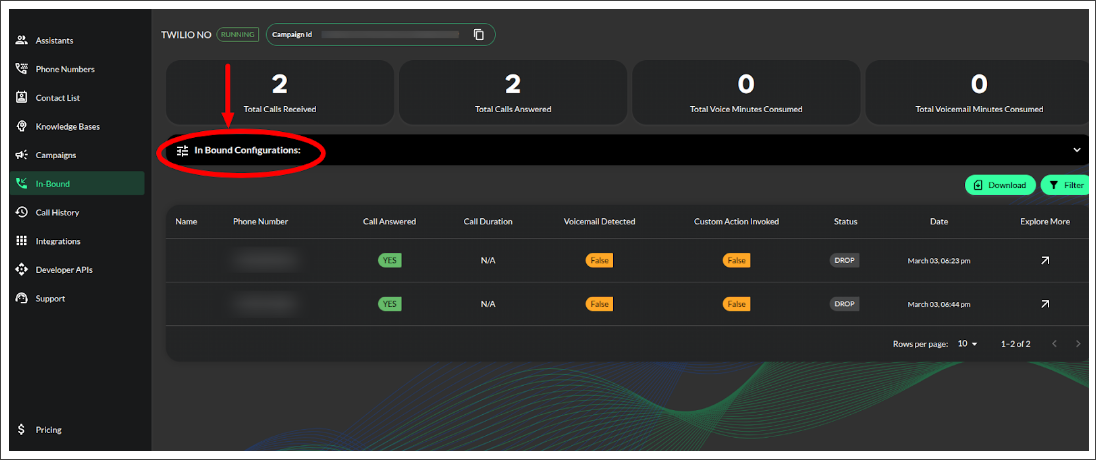
- Access the Campaign: Click on the campaign in the In-bound section.
- Open Inbound Configurations:
Inside the campaign, locate the In bound Configurations section.
Click on it to access the configuration settings.
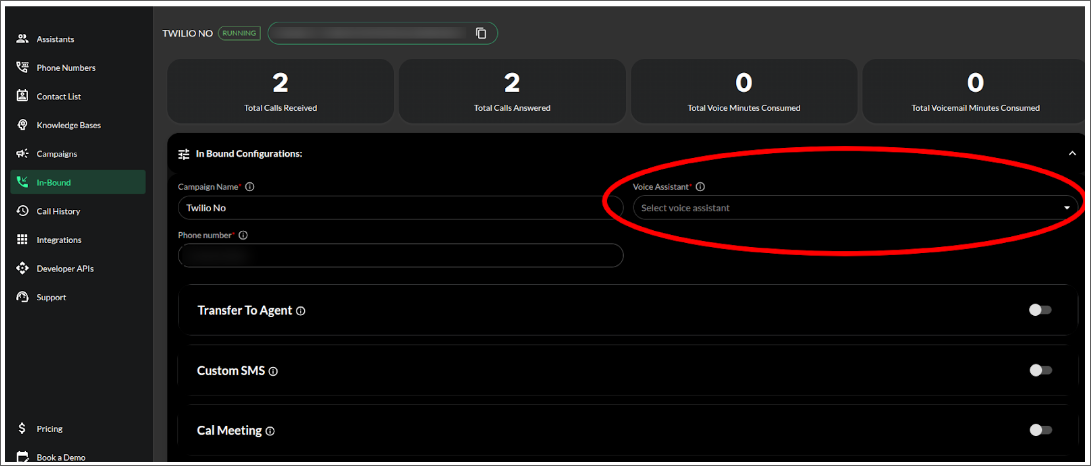
- Assign a Voice Assistant: Under Voice Assistant, you will see a list of already created assistants.
You can select suitable assistants based on your setup.
- Enable Transfer to Agent (If Required):
If you want to transfer calls to a human assistant, toggle the Transfer to Agent button.
Add the phone number of the human assistant.
- Configure Information Collection: If you need to gather specific answers during the call, configure the Information to be Collected section. Define the questions or details you want to capture from the caller.
Finalizing the Setup
Once you have completed these steps, your campaign will be fully functional, ensuring that calls are properly received and processed. By following these steps, users can resolve the issue of orphan campaigns and ensure smooth call operations within Voicegenie.